Release notes
EntryScape 3.21 - 2026-09-10
The most noticable changes in EntryScape 3.21 is the possibility to reuse models and new functionality in diagrams in Models. Otherwise, this update consists mostly of underlying technical improvements not visible to users.
- Reuse existing models created in Models
- Create form from class in diagrams
- Remove forms, classes, fields and properties from diagrams
- Create fields in diagrams
- Disconnect fields in diagrams
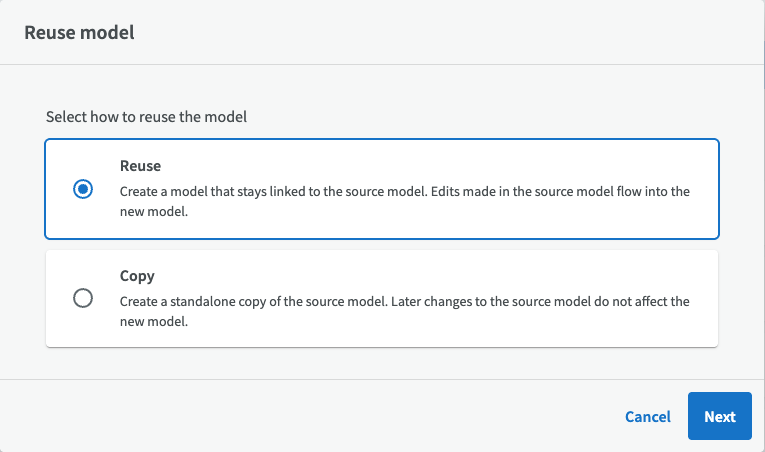
Reuse existing models
You can now reuse existing models i Models. This can be done in two different ways: You either create a standalone copy of a model, or you can reuse a model with new, clean versions of the profile forms and connections to all dependent classes, properties etc in the old model.
EntryScape 3.20 - 2026-07-02
EntryScape 3.20 includes a new embedding solution in Catalog that replaces the previous embedding script. Models now features a cleanup function that can identify and remove unused fields and forms. And in Terms, concepts can finally be displayed in a table view, making editing faster and smoother.
- New embedding solution in Catalog
- A cleanup feature in Models
- View concepts in a table view
- You can now lock your model in Models
- A field overview in Models that shows which fields use a specific property
- Minor improvements to diagrams in Models
- Support for Turtle and JSON-LD in toolkit in Registry
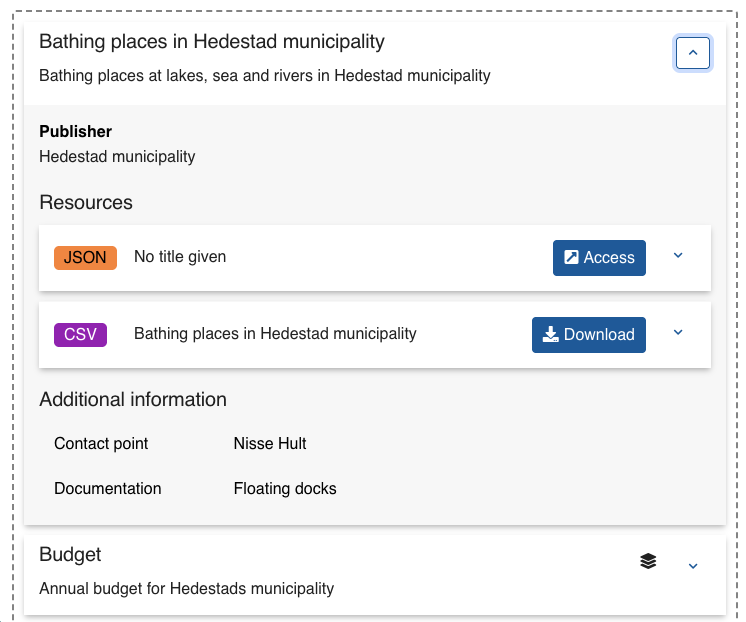
New embedding solution in Catalog
The old embedding script in Catalog has been replaced by a new solution that provides a more complete preview, showing all information, unlike the old script. In practice, this means that you no longer have to switch between different views to see what it will look like.
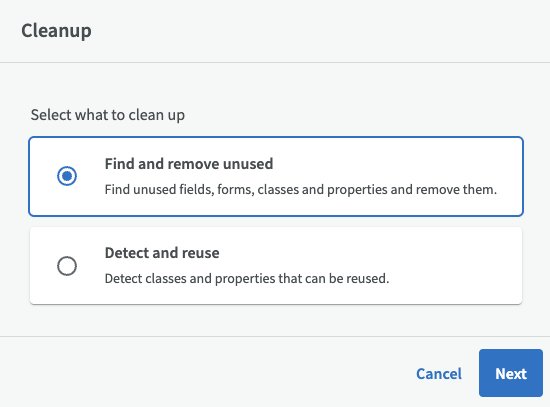
A cleanup feature in Models
You can now identify and remove fields and forms that are not used in Models. At the same time, you can analyze classes and properties from other models that may be useful in your model. You can access the cleanup feature by clicking the “Cleanup” button on the model’s overview page.
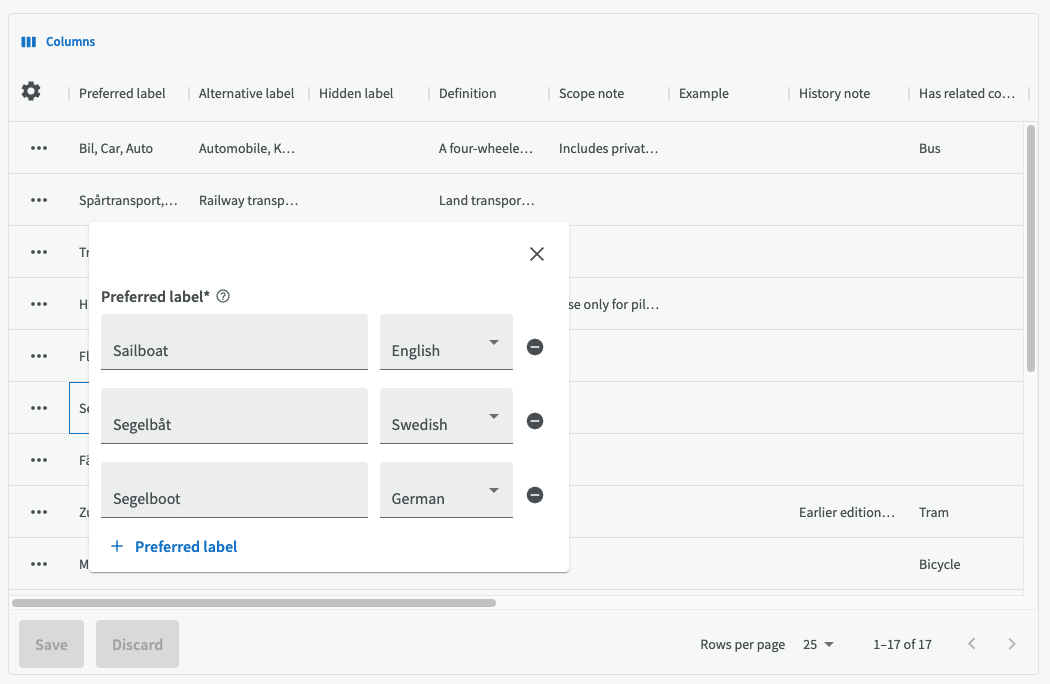
View concepts in a table view
You can now view the concepts in your terminologies in a table view, instead of a list or tree view. The table view makes it faster and easier to edit many concepts at once.
EntryScape 3.19 - 2026-06-12
In EntryScape 3.19, the main menu has been redesigned and collapsible. Terms has a new look with a new tree view and list view for terminologies that you can easily switch between. You can also organize terminology concepts in your own custom order. In Models, you can now edit your classes and forms directly from the diagram, via a new side panel.
- New collapsible main menu
- New tree view and list view in Terms
- Sort your concepts in a custom order
- New ways to edit diagrams
- New clickable question mark for displaying help texts
- Data services can now be published externally
- Translations of Geonames labels when changing language
- Link to the entity’s overview page in the detailed information
- Fixed subcatalogs dialog to only display ones the user has access to
- Show aggregation method after providing value for X axis
- Support for custom entity types in Terms
- Possible to create classes and properties inline for forms and fields in Models
- Clarify Models diagram back button with text
- Use multi create buttons for create field and form dialogs in Models
- Add option to set default diagram in Models
- Target language now works when creating resources in Models
- Two new options, available in edit dialog for extended fields in Models: add to and hide
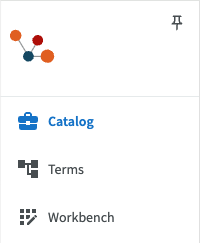
New collapsible main menu
EntryScape’s main menu is redesigned and collapsible so you just see the icons. You can choose whether to see just the icons or the full menu with the module names. Using the little pin button, you can choose to pin the menu in its expanded state.
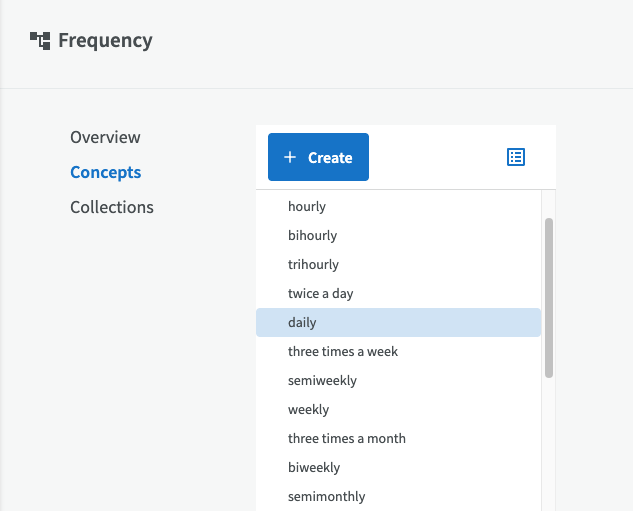
New tree view and list view in Terms
Terminologies in Terms have a new look. You can choose to display concepts in either a tree view or a list, and easily switch between the different views.
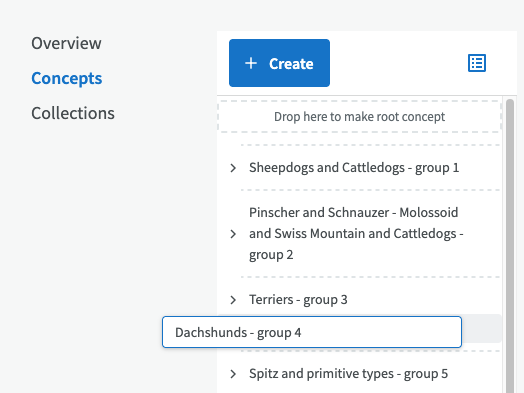
Sort your concepts in a custom order
You can also sort your terminology concepts in a custom order, instead of the alphabetical order used until now, via the “Enable custom order” button. You can then drag and drop concepts into the order you want.
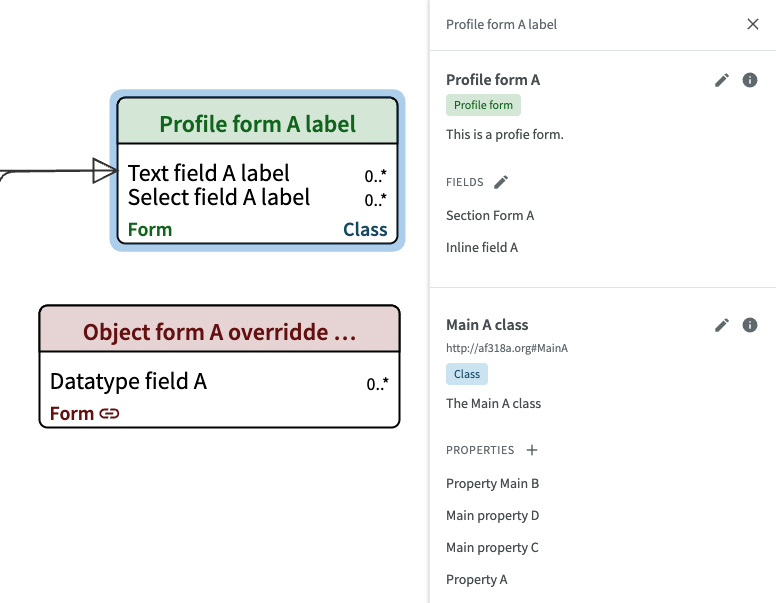
New ways to edit diagrams
EntryScape Models now offers new ways to work with diagrams. You can create and edit classes and forms directly from the diagram, via two new side panels.
EntryScape 3.18 - 2026-03-26
With EntryScape 3.18, you can finally create catalog structures with subcatalogs, edit diagrams more smoothly in Models, and change the look of the entire EntryScape interface using the new theme selector.
- Multi-level catalogs
- Easier diagram editing
- Choose a theme
- The publish button for a catalog has been moved from the list view to the catalog’s overview page
- Language selection buttons in preview
- Draft feature is available throughout EntryScape
- New advanced download options under the “About” tab in the detailed information
- A maintenance configuration has been implemented in EntryScape to simplify operations and improve scalability
- Support for Turtle when creating RDFS resources and importing RDFS files in Models
- Reuse namespaces from other models
- Loading icon appears during slow editing dialogs in Models
- Browse functionality in Registry has been replaced by a new, improved Search functionality
- Users who are not logged in are now redirected to Registry login page when they attempt to access the status pages of non-public organizations
- Catalog names are displayed when you merge catalogs in Registry
Multi-level catalogs
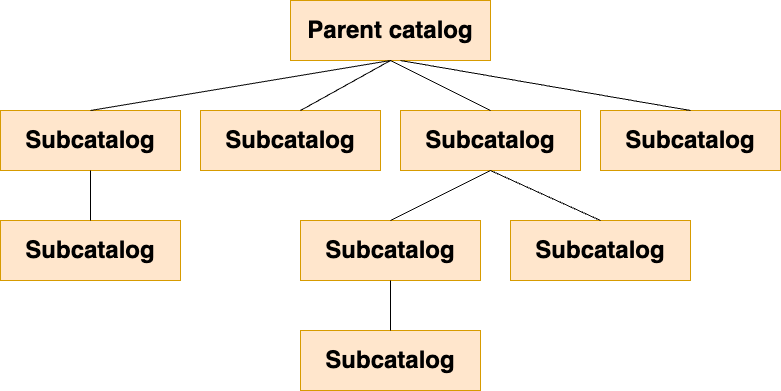
In EntryScape Catalog, you can now create catalog structures with parent catalogs and subcatalogs, with different access permissions for different groups.
Easier diagram editing
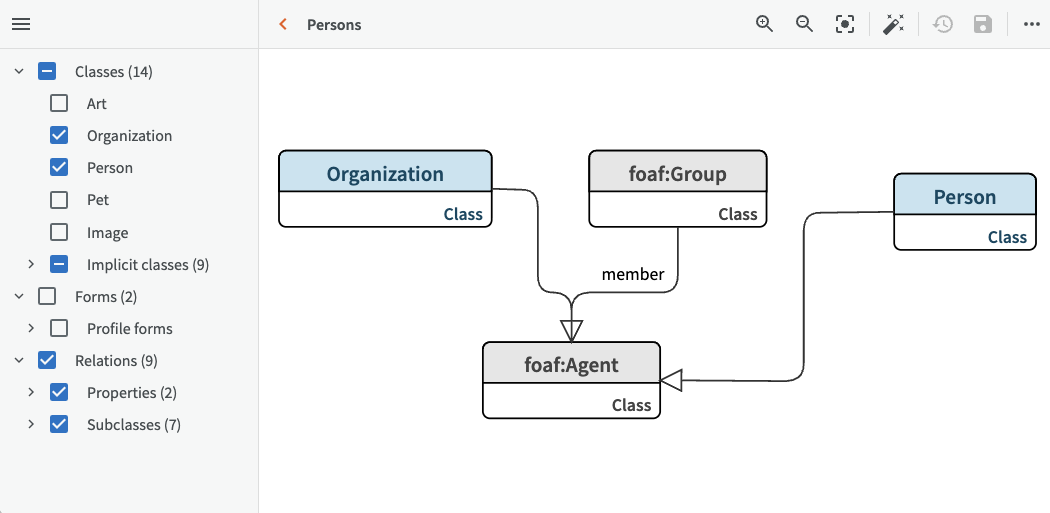
New diagram editing features in Models give you greater control over the details, including a tree view where you can show or hide individual classes, forms or relationships with a single click.
Choose a theme
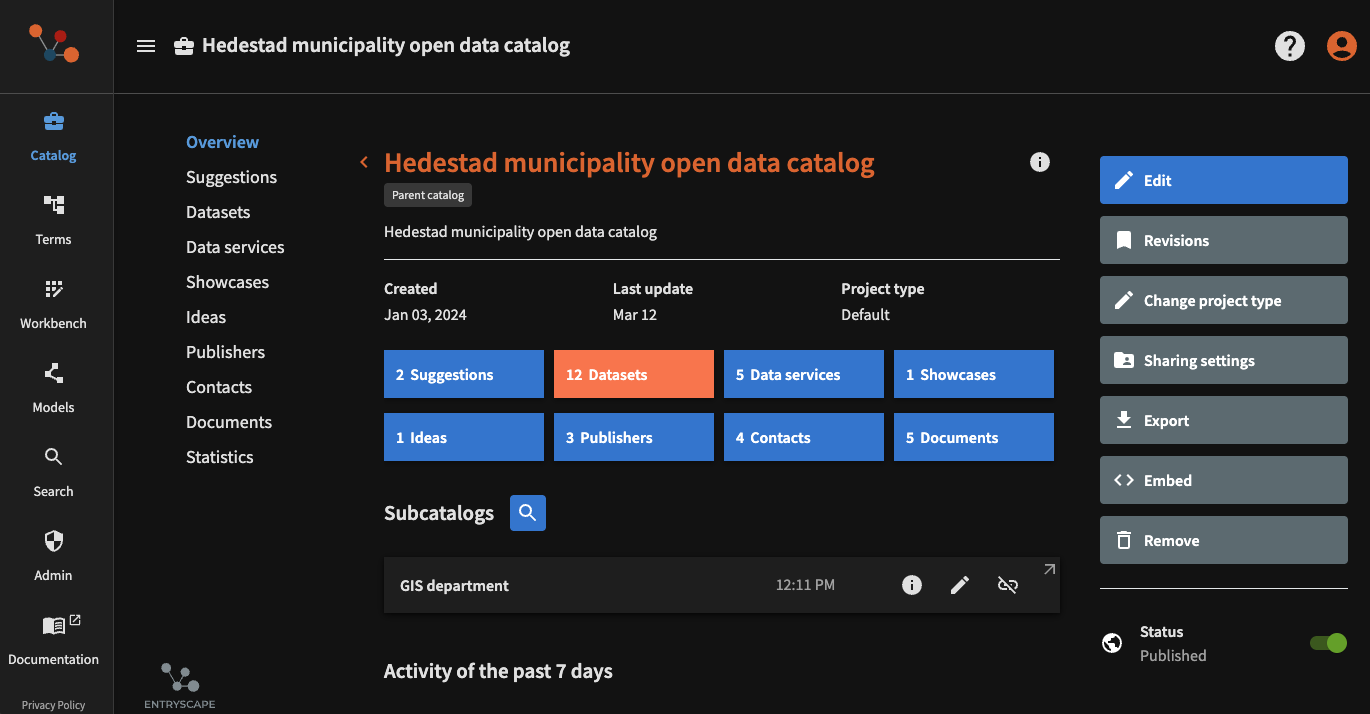
Light or dark theme, extra-high contrast, or a theme that matches your existing system settings. With the new theme selector, you can customize the look of the entire EntryScape. By default, EntryScape uses your preferred settings on your system.
EntryScape 3.17 - 2025-11-06
Datasets can be locked for editing, new GIS functionality where data services and distributions can be created from map services in WMS format, customized top-level project modules for easier navigation, and Registry has undergone a series of fixes for improved usability.
- Lock functionality for datasets
- New GIS functionality
- Customized project modules
- Upgrade of Registry
- Select existing publishers when creating new catalogs
- Entity types can be shared between projects in Workbench and catalogs in Catalog
- Table view can display complex fields that contain multiple subfields
- Copy and download data directly in the detailed information dialog
- Statistics in Catalog can now display several years back in time
Lock functionality for datasets
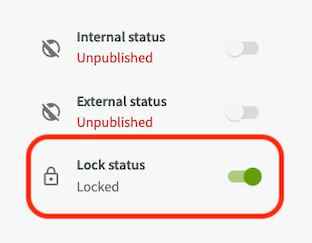
Group managers for a catalog now have the option to lock datasets for editing. This is particularly useful when preserving large amounts of published metadata and data that are not expected to change, and prevent unwanted edits.
New GIS functionality
Customers can now use published WMS layers to easily create both datasets and distributions directly in EntryScape. The metadata is extracted and the connection to the original WMS service is preserved. This opens up new possibilities for integrating EntryScape datasets with standalone web maps.
Customized project modules
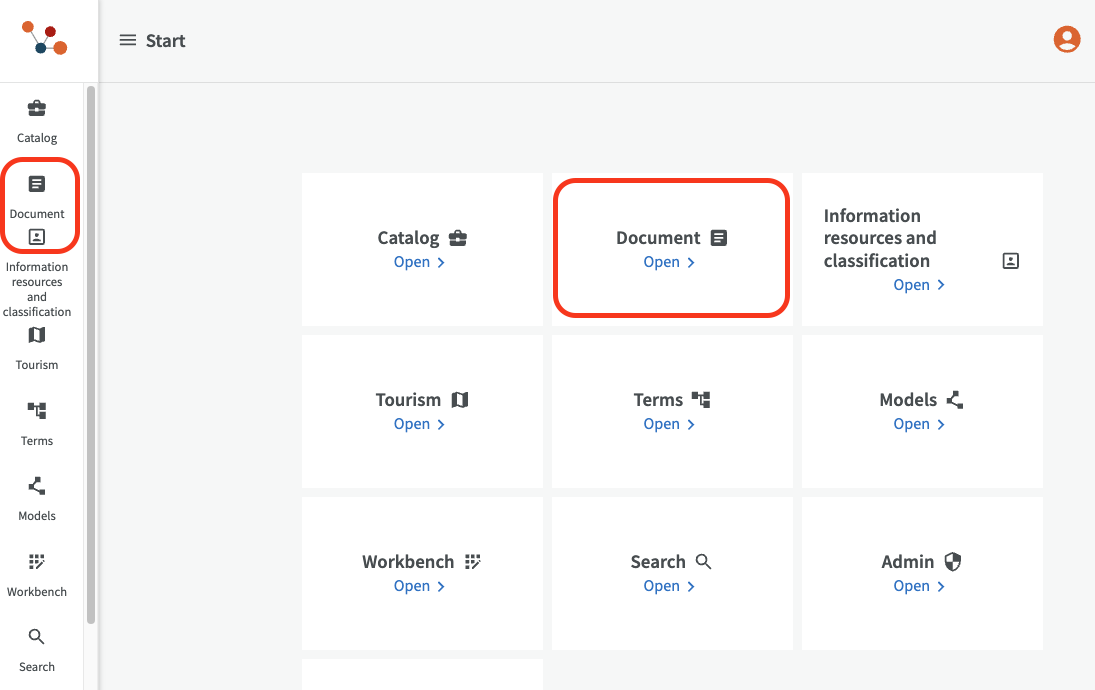
It is possible to get customizable project modules at the top level, instead of going through Workbench. Examples of project modules could be “Documents,” and “Tourism” with customized application profiles and metadata fields. EntryScape can be configured with this functionality for users when needed.
Upgrade of Registry
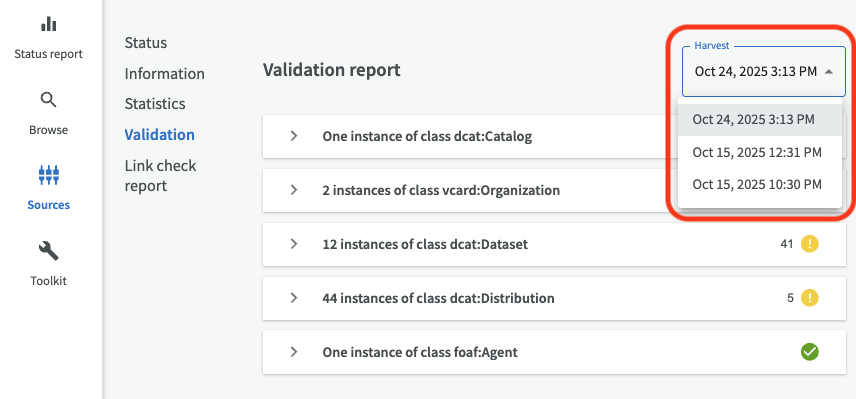
Registry has been upgraded and made more user-friendly with name changes, more intuitive navigation, and new features. For example, there is a new validation page for your harvest source, where you can easily switch between the three most recent validation reports via a drop-down menu.
EntryScape 3.16 - 2025-06
EntryScape 3.15 - 2025-03
EntryScape 3.14 - 2024-11
EntryScape 3.13 - 2024-10
EntryScape 3.12 - 2024-05
EntryScape 3.12 – Filter for High-Value Datasets and improved user experience
EntryScape 3.11 - 2024-02
EntryScape 3.11 – Harmonized interface with overview, better notifications and upgraded table view
EntryScape 3.10 - 2023-10
EntryScape 3.10 – High-value datasets to EU, better security and reduced burden for data collection
EntryScape 3.9 - 2023-07
EntryScape 3.9 – New Workbench design, improvements to file replacements and collections update
EntryScape 3.8 - 2023-05
EntryScape 3.7 - 2023-02
EntryScape 3.7 – Filter your datasets, legends to maps and become a master of terms
EntryScape 3.6 - 2022-09
EntryScape 3.5 - 2022-06
EntryScape 3.5 – Introducing project types, disposition views and improved visualizations
EntryScape 3.4 - 2022-03
EntryScape 3.4 – Now with support for Web Map Services also called WMS
EntryScape 3.3 - 2021-12
EntryScape 3.3 – Now supporting the latest national standard DCAT-AP2 and dataservices!
EntryScape 3.2 - 2021-09
EntryScape 3.2 – Filter dataset templates and simpler updates of visualizations
EntryScape 3.1 - 2021-07
EntryScape 3.1 – Save time with dataset templates and quick edit with table view
EntryScape 3.0 - 2021-06
EntryScape 3.0 – New and more accessible interface finally here and candidates become suggestions